How ScanRaise Works

From setup to money in your account — here's the full process.

1

Create your campaign

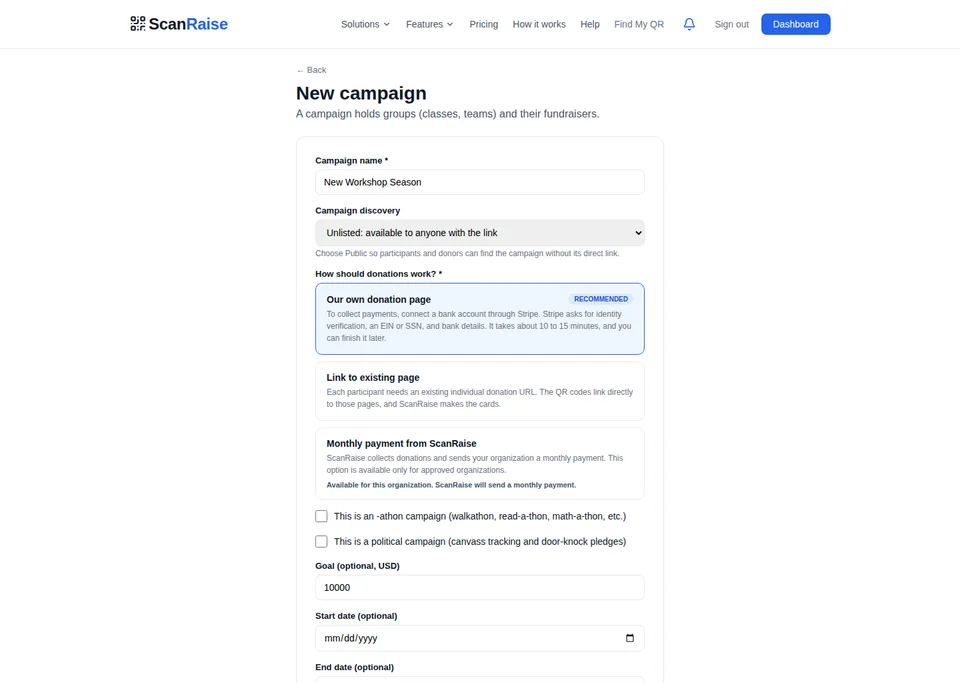
Go to scanraise.com/start and fill in your organization name, campaign name, and the names of your fundraisers. Choose your brand color and set an optional fundraising goal with milestone rewards.

Takes about 2 minutes. You can upload a CSV if you have a roster, or type names in one by one. Each person gets a unique QR code automatically.
2

Choose how you get paid

You have two options. Connect your own bank account through Stripe and get paid directly (takes 2 minutes). Or let ScanRaise collect the money and send you a check or bank transfer monthly. Either way, your organization keeps 97.5%.

Option 1 (direct): Connect through Stripe with your bank account and routing number. Deposits hit your account in about 2 business days.
Option 2 (we handle it): Skip the bank setup entirely. ScanRaise collects donations and sends your organization a monthly payment. Best for groups that want the simplest path.
3

Get your QR codes

Download a print-ready PDF with every fundraiser's card, or send personalized links by email so adults can pull up their QR code on their phone.

Two options:
Printed cards — Download the PDF and take it to any print shop. Print on card stock. Costs about $0.15–0.30 per card. Great for kids going door-to-door.
Phone QR codes — Each fundraiser gets a personal link (scanraise.com/my/CODE) that shows their QR code full-screen. Great for adults at events or intersections.
4

Go raise money

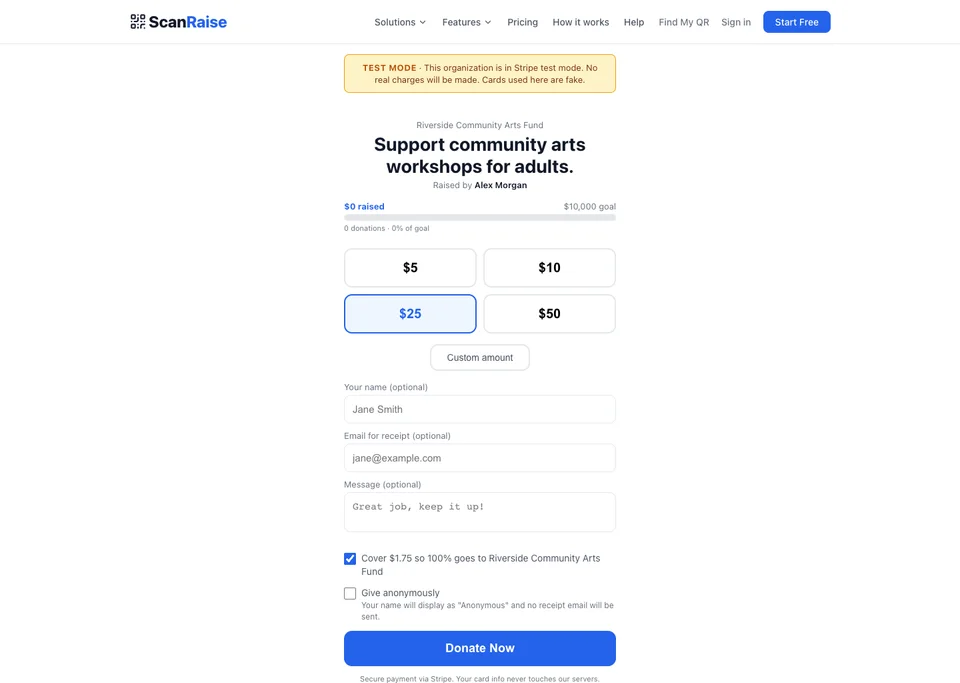
Your fundraisers carry their cards or phones and show them to potential donors. Donors scan the QR code with their phone camera — it opens a donation page where they can give in 30 seconds. No app, no account, no cash needed.

Donors see: The fundraiser's name, your organization, the campaign, a progress bar (if you set a goal), and amount buttons. They tap an amount, enter their card, and done. They can also choose to make it monthly or cover the processing fees.
5

Track everything in real time

Log into your dashboard to see every donation as it comes in. View leaderboards by person, class, or team. See which milestones you've hit. Export donation data as CSV anytime.

Dashboard features: Total raised, donation count, per-person totals, class/group breakdowns, recent donation feed (updates every 5 seconds), and a live display mode you can project at events.
6

Money goes to your bank

If you connected Stripe, donations transfer to your bank on a rolling basis (typically 2 business days). If ScanRaise is collecting for you, we send a monthly payment. Either way, ScanRaise takes 2.5% and Stripe takes their standard processing fee. Your organization keeps the rest.

Example: A donor gives $100. Stripe processing: $3.20. ScanRaise fee: $2.50. Your organization receives: $94.30. If the donor checked "cover fees," your org gets the full $100 and the donor paid $105.70.

Platform features

Unique QR codes

Every fundraiser gets their own code. Printable cards or phone display.

Live leaderboards

Real-time rankings by person, class, team, or group.

Goals & milestones

Set a goal, add milestone rewards. Progress bar on every page.

Live display

Project real-time donations on a screen at events.

Recurring donations

Donors can opt into monthly giving with one checkbox.

Instant receipts

Branded email receipts sent automatically after every donation.

CSV export

Export all donation data anytime for your records.

Org donation page

A shareable link for general fund donations. No QR code needed.

Event ticketing

Sell tickets to events. Free or paid. Check-in at the door.

Merchandise store

Sell t-shirts, spirit wear, and swag. Sizes, inventory, fulfillment.

Social sharing

One-tap sharing on every page. Donors spread the word for you.

Embeddable widget

One line of code puts a donate button on your website.

Text-to-give

Donors text to receive a donation link. No app needed.

Secure payments

Stripe-powered. PCI compliant. 256-bit encryption.

Auctions

Run silent auctions with real-time bidding, countdown timers, and buy-now pricing.

Raffles

Sell raffle tickets online. Random draw with winner notification. Free or paid entries.

Email campaigns

Send branded emails to your donors. Draft, preview, send. One-click unsubscribe built in.

Donor CRM

Track every donor across donations, tickets, orders, and bids. Tags, notes, search, and CSV export.

P2P fundraising

Supporters create their own fundraising pages and share them. Leaderboards track who's raising the most.

Print partners

Connect with local print shops to get QR cards printed and delivered. Geo-matched to your area.

Find My QR Code

Lost your card? Search by org or campaign and pull up your QR code on your phone instantly.

Employer matching

After every donation, donors can check if their employer matches. One search to double their gift automatically.

Community drives

Run a fundraising drive for a nonprofit at 0% platform fee. The org keeps 100% of every dollar.

How athons work

Walkathons, read-a-thons, swim-a-thons — same platform, extra tracking layer.

1

Create an athon campaign

Toggle "This is an athon" when creating your campaign. Pick your unit: miles, laps, pages, problems, minutes, or anything custom. Everything else works the same — groups, fundraisers, QR cards.

2

Donors pledge per unit

When donors scan a QR code, they see two options: donate a flat amount (regular) or pledge per unit ("$2 per mile"). Pledges are commitments — no money charged until after the activity.

3

Participants track activity

Each participant opens a tracker page on their phone (no app). Depending on the unit type, they get GPS distance tracking, a step counter, a verified timer, or Strava/Fitbit sync. Manual entry is always available too.

GPS tracking uses the phone's location to measure distance. Step counter uses the accelerometer to count steps. Verified timer tracks active screen time for reading/studying. Strava/Fitbit imports activities from smartwatches. All opt-in, all browser-based.
4

Activity is verified

Every submission is analyzed server-side. GPS speed validation catches drivers pretending to walk. Photo check-ins prove location. Timer verification confirms screen was active. Results are marked verified, suspicious, or unverified. Admins can review and override.

5

Calculate and collect

Admin clicks "Calculate" — pledge amounts are computed from verified activity. Then "Collect" — every pledger gets an email with their total and a Stripe payment link. Money flows in. No chasing.

Start Your Fundraiser