Preguntas frecuentes
Todo lo que necesitas saber sobre ScanRaise.
Explorar todos los temas
No hay resultados. Pruebe otra palabra o contacte a soporte. support@scanraise.com
Primeros pasos
¿Qué es ScanRaise?
ScanRaise es una plataforma de recaudación que usa códigos QR para hacer las donaciones en persona rápidas y fáciles. Cada recaudador recibe un código QR único - impreso en una tarjeta o mostrado en el teléfono. Los donantes lo escanean y donan desde el teléfono. Sin descargar apps, sin crear cuentas.
¿Para quién es ScanRaise?
Cualquiera que recaude dinero en persona: asociaciones de padres, equipos deportivos, clubes de apoyo, iglesias, bomberos, tropas scout, estudios de danza, programas de banda, campañas políticas, rescates de animales y más. Si tu gente va puerta a puerta, trabaja en eventos o recauda donaciones en intersecciones - ScanRaise lo hace más fácil.
¿Cómo empiezo?
Ve a scanraise.com/es/start y crea una campaña en línea. Ingresa el nombre de tu organización, el nombre de la campaña y los nombres de tus recaudadores. Recibirás PDFs de tarjetas QR imprimibles y enlaces compartibles de inmediato. No necesitas una tarjeta de crédito para configurarla.
¿Mis recaudadores necesitan descargar una app?
No se requiere una app de ScanRaise. Los adultos pueden abrir su código QR desde un enlace en el teléfono y los niños pueden usar tarjetas impresas. Los donantes escanean el código con la cámara y completan la donación en el navegador.
¿Los donantes necesitan crear una cuenta?
No. Los donantes escanean el código QR, eligen un monto y pagan con tarjeta. Apple Pay o Google Pay pueden aparecer cuando el dispositivo, navegador, país y configuración de Stripe de la organización los admiten. No se requiere una cuenta del donante ni una app de ScanRaise.
Precios y comisiones
¿Cuánto cuesta ScanRaise?
ScanRaise cobra una comisión del 2.5% por donación, más las tarifas de procesamiento de Stripe por separado. La recaudación estándar no tiene cuota de inicio, mensualidad ni contrato. Los planes políticos Plus cuestan $99 al mes y Pro $299 al mes por campaña; el plan político gratuito no tiene suscripción mensual. Consulte Precios para ver los planes publicados.
¿Cómo se compara el 2.5% con otras plataformas?
Las plataformas de recaudación usan modelos de precios distintos, así que la comparación correcta depende de tu situación. ScanRaise es una comisión fija del 2.5% más procesamiento estándar de Stripe. Algunas plataformas son gratis para organizaciones 501(c)(3) registradas pero dependen de propinas del donante. Otras usan modelos porcentuales que pueden resultar considerablemente más altos. Publicamos 2.5% fijo en cada página, consulta el sitio de cada competidor para su precio actual ya que las tarifas cambian.
¿Los donantes pueden cubrir las comisiones de procesamiento?
Sí. Hay una casilla de "cubrir comisiones de procesamiento" en la página de donación (marcada por defecto). Cuando los donantes la aceptan, pagan un poco más para que tu organización reciba el 100% de la donación prevista.
¿Hay un mínimo o máximo de donación?
La donación mínima es $1.00. La máxima es $2,500.00 por transacción.
Pagos y dinero
¿Cómo recibimos el dinero?
Tienes dos opciones. Opción 1: Conecta tu propia cuenta bancaria mediante Stripe. El tiempo de verificación varía según la cuenta y las comprobaciones requeridas. El primer pago suele llegar entre 7 y 14 días después del primer pago exitoso en modo real y puede tardar más. Los pagos posteriores siguen el calendario de pagos específico de la cuenta. Opción 2: ScanRaise recauda las donaciones y envía a tu organización un cheque o transferencia bancaria mensual. ScanRaise cobra una comisión de plataforma del 2.5% en ambos modos y el procesamiento de Stripe se aplica por separado.
¿Es seguro?
Sí. Stripe procesa los pagos, y ScanRaise nunca ve ni almacena números completos de tarjetas de crédito. Las conexiones usan HTTPS, y los campos enviados de cargas de seguimiento sin procesar descritos en nuestra Política de privacidad se cifran en la aplicación antes de almacenarse. Stripe mantiene cumplimiento PCI DSS.
¿Están seguros los datos de mi organización?
Sí. Su base de datos de producción se respalda diariamente fuera del sitio en un bucket privado y cifrado con un proveedor separado, para que una interrupción de un solo proveedor no pueda perder los registros de donantes ni las listas. El inicio de sesión es sin contraseña (enlace mágico o passkey), ScanRaise figura en el listado de recursos de SDPC y ofrece controles diseñados para apoyar las obligaciones de COPPA y FERPA, y cada respuesta se entrega por HTTPS con cabeceras de seguridad estrictas. El cumplimiento depende de la configuración y el uso de cada organización. Vea la página completa de seguridad para más detalles.
¿Los donantes reciben un recibo?
Sí. Si el donante proporciona su correo, recibe un recibo de transacción con el monto, la organización, el recaudador y la fecha. Que sirva como comprobante deducible de impuestos depende de la condición fiscal de la organización y del tipo de pago.
¿Los donantes pueden hacer donaciones recurrentes (mensuales)?
Sí, cuando la organización tiene un nivel mensual o anual activo. Los donantes eligen un nivel configurado y completan la suscripción con Stripe. Pueden recuperar por correo un enlace firmado para actualizar el pago, cambiar el monto dentro del mismo intervalo o cancelar al final del periodo.
¿Las donaciones son deducibles de impuestos?
Eso depende del estatus fiscal de tu organización. Si tu organización es una 501(c)(3) registrada, las donaciones pueden ser deducibles de impuestos. ScanRaise no proporciona asesoría fiscal - por favor consulta a un profesional de impuestos. Incluimos el EIN de tu organización en los recibos si lo proporcionas.
¿Cómo funciona el manejo de reembolsos?
Los propietarios de la organización pueden reembolsar una donación completada elegible cuando la función de ScanRaise esté disponible: un reembolso completo por donación dentro de 90 días, sin reembolsos parciales. El donante recibe el cargo original completo, ScanRaise devuelve su comisión del 2.5% y la organización absorbe la tarifa de Stripe. Espere la confirmación de Stripe antes de considerar reembolsada la donación. Los reembolsos realizados directamente en Stripe se registran a partir de sus notificaciones, pero la devolución de la comisión depende de los ajustes utilizados. Revise la donación y los registros de Stripe; contacte a soporte si difieren. Otros tipos de compra siguen sus propias políticas en los Términos.
Códigos QR y tarjetas
¿Cómo funcionan los códigos QR?
Cada recaudador recibe un código QR único que enlaza a su página personal de donación en ScanRaise. Cuando alguien escanea el código con la cámara de su teléfono, va directamente a una página donde puede donar. El código QR puede imprimirse en una tarjeta o mostrarse en la pantalla de un teléfono.
¿La URL de donación también se imprime en la tarjeta, por si alguien no puede escanear?
Sí. Cada tarjeta QR muestra la URL del recaudador (
scanraise.com/d/<código>) impresa directamente debajo del código QR. Así, si un familiar no logra enfocar la cámara, o quiere compartir el enlace por mensaje de texto más tarde, puede simplemente escribir o copiar la URL. La URL de cada recaudador es corta, fácil de recordar y dirige a la misma página personal de donación que el QR.¿Puedo poner el logotipo de nuestra organización en las tarjetas?
Sí. Abre Configuración de la organización desde tu panel y usa el botón Subir logotipo para cargar un archivo PNG, JPG, GIF o WebP de hasta 1 MB. El logotipo aparecerá automáticamente en cada tarjeta QR y en tus páginas públicas de donación. Si tu logotipo ya está alojado en una URL pública, también existe la opción "O pega una URL pública" detrás de un menú desplegable. Los logotipos actualizados se aplican en la siguiente generación de tarjetas.
¿Qué necesitan de nosotros para empezar?
Agregue o importe una lista de nombres de participantes. Para menores, use el nombre y la inicial del apellido, como "Alex T." o "Jordan B.", y revise los nombres importados antes de publicarlos. ScanRaise genera una tarjeta QR personalizada por participante. Los participantes no necesitan una cuenta de ScanRaise ni una dirección de correo para el flujo QR estándar.
¿Cómo imprimimos las tarjetas?
Después de crear tu campaña, puedes descargar un PDF listo para imprimir con las tarjetas de todos tus recaudadores. Imprímelas tú mismo en cartulina en la escuela, lleva el PDF a cualquier imprenta (FedEx Office, UPS Store o una imprenta local), o nosotros podemos encargarnos de la impresión y entregártelas. Un costo típico es $0.15-0.30 por tarjeta.
¿Puedo elegir cuántas tarjetas se imprimen por página?
Sí. Junto a cada enlace Descargar tarjetas QR imprimibles verás un selector de 1 / 2 / 4 por página. 1 por página es una tarjeta vertical completa por hoja carta, ideal para entregar a mano o insertar en programas. 2 por página apila dos tarjetas horizontales, ideal para imprimir en media página. 4 por página es una cuadrícula 2×2, ideal para tiradas grandes (una clase de 25 cabe en 7 hojas). Tu elección se recuerda entre páginas, y los espacios sobrantes en la última hoja se imprimen en blanco limpio en lugar de mostrar el arte de plantilla.
¿Cómo encuentro el enlace de donación de una clase para enviárselo a su maestro?
Desde tu panel, haz clic en la clase para expandirla. Cada recaudador dentro de la clase muestra su URL
scanraise.com/d/... con un botón Copiar enlace y un enlace Abrir ↗ directamente en la fila. Un clic copia la URL al portapapeles, listo para pegar en un correo o mensaje de texto. No hace falta entrar a la página de detalle de la clase.¿Los adultos pueden usar su teléfono en lugar de una tarjeta impresa?
Sí. Cada recaudador recibe un enlace personal (scanraise.com/my/CÓDIGO) que muestra su código QR en pantalla completa en su teléfono. Ideal para adultos que van puerta a puerta, trabajan en eventos o se paran en intersecciones. El enlace también se puede enviar por texto o compartir en redes sociales.
¿Qué pasa si un código QR se daña o se pierde?
Puedes generar y volver a imprimir tarjetas mientras la campaña esté activa y acepte donaciones. La URL impresa se mantiene estable para esa campaña. Genera tarjetas nuevas cuando inicies una campaña nueva.
Páginas de donación
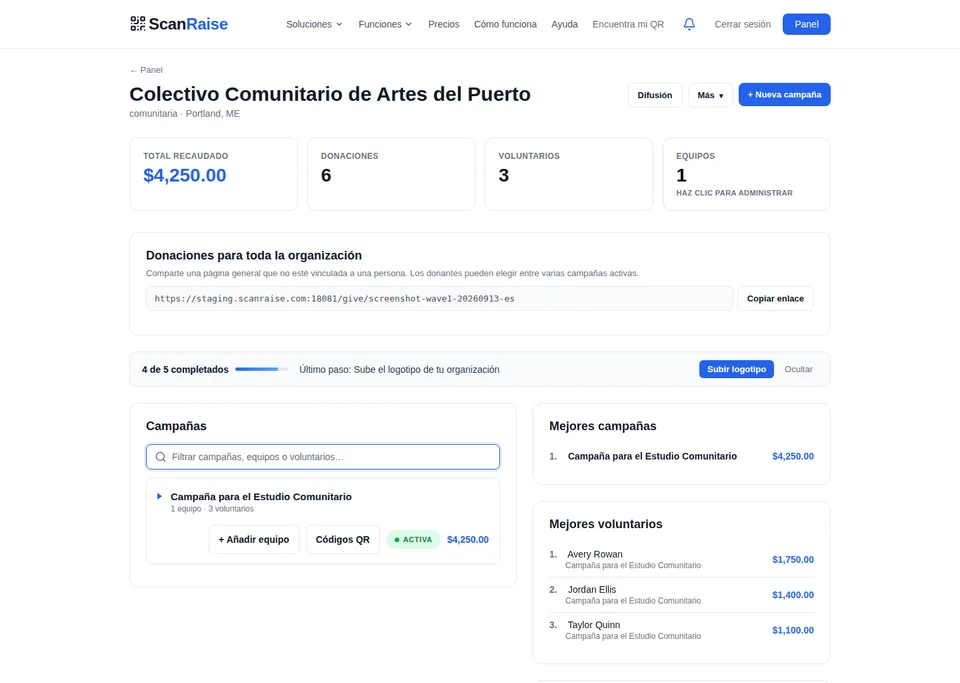
¿Podemos tener una página de donación general para nuestra organización?
Sí. Cada organización en ScanRaise recibe una página de donación dedicada en scanraise.com/give/nombre-de-tu-org. Cualquiera puede donar directamente a tu organización desde esta página - sin código QR necesario. Comparte el enlace en emails, redes sociales, tu sitio web o donde sea. Funciona junto con tus campañas de códigos QR.
¿Cuál es la diferencia entre la página de donación de la org y las campañas de códigos QR?
Campañas de códigos QR son para recaudadores específicos - niños que van puerta a puerta, equipos que trabajan en eventos. Cada persona tiene su propio código y su propia página. Las donaciones se rastrean por persona con tablas de posiciones.
La página de donación de la org es para donaciones generales - como un fondo general de la asociación de padres, un enlace de donación permanente o un enlace de "forma fácil de dar" que pones en tu boletín. Las donaciones van a la organización en general. Puedes usar ambas al mismo tiempo.
La página de donación de la org es para donaciones generales - como un fondo general de la asociación de padres, un enlace de donación permanente o un enlace de "forma fácil de dar" que pones en tu boletín. Las donaciones van a la organización en general. Puedes usar ambas al mismo tiempo.
¿Los donantes pueden elegir qué campaña apoyar en nuestra página de org?
Sí. Si tu organización tiene múltiples campañas activas, los donantes verán un menú desplegable para elegir cuál quieren apoyar. Si solo tienes una campaña, va ahí automáticamente.
¿Puedo compartir el enlace de la página de donación en un email o en redes sociales?
Absolutamente. Para eso es. Copia y pega tu enlace (scanraise.com/give/nombre-de-tu-org) donde sea - boletines por email, publicaciones en Facebook, mensajes de texto, tu sitio web, volantes. Funciona en cualquier dispositivo con navegador.
Venta de entradas para eventos
¿Podemos vender entradas de eventos a través de ScanRaise?
El registro público, el pago con Stripe, la lista de asistentes y el registro en la puerta están disponibles para un evento configurado. El panel todavía no permite crear eventos ni editar niveles de entradas.
¿Podemos organizar eventos gratis?
El registro gratuito funciona para un evento configurado. Los asistentes se registran sin pago y los organizadores usan la lista y el registro en la puerta.
¿Podemos limitar el número de entradas?
Los niveles de entradas configurados pueden tener límites de cantidad y el pago se detiene al agotarse. La configuración de niveles todavía no está en el panel.
Tienda de productos
¿Podemos vender productos (camisetas, ropa del equipo, etc.)?
Una organización con productos configurados tiene una tienda pública en scanraise.com/shop/nombre-de-tu-org. Los compradores pagan con Stripe y los organizadores ven pedidos y marcan su entrega. El editor de productos e inventario todavía no está disponible.
¿Podemos rastrear inventario y tallas?
Los productos configurados pueden tener tallas y límites de inventario, y la tienda pública marca opciones agotadas. El panel todavía no permite editar productos o inventario.
Compartir e integrar
¿Los donantes pueden compartir una recaudación con amigos?
Sí. Cada página de donación y agradecimiento tiene un botón de compartir que abre Facebook, Twitter, texto o copia el enlace. Los donantes difunden la voz automáticamente.
¿Podemos integrar un botón de donar en nuestro propio sitio web?
Sí. Agrega esta línea dentro del cuerpo de la página, idealmente justo antes de cerrar la etiqueta body, y ScanRaise coloca un botón de donar que abre el formulario en una ventana:
<script src="https://scanraise.com/js/widget.js" data-scanraise-org="nombre-de-tu-org" data-scanraise-lang="es" async></script>. El botón adopta automáticamente el color de marca de la organización después de cargar el formulario de forma segura. Los sitios con una Política de Seguridad de Contenido deben permitir https://scanraise.com en script-src, style-src y frame-src.¿Hay opción de donar por texto?
Sí. En Configuración de la organización, elige una palabra de 3-30 letras y números que sea única en ScanRaise. Los donantes la envían al (833) 991-9251 y ScanRaise manda una respuesta automática con el enlace de donación correspondiente. El código corto de un recaudador activo solicita el enlace de ese recaudador. Los tiempos de entrega dependen del operador. Pueden aplicarse tarifas, y los donantes pueden responder STOP para darse de baja o HELP para obtener ayuda.
Gestión de campañas
¿Puedo ver quién recauda más?
Sí. Cada campaña tiene una tabla de posiciones en tiempo real que muestra a cada recaudador clasificado por cuánto han recaudado. Se actualiza automáticamente a medida que llegan las donaciones.
¿Puedo agregar personas a una campaña después de que ha empezado?
Sí. Inicia sesión en tu panel, ve a tu campaña y agrega nuevos recaudadores en cualquier momento. Ellos reciben su propio código QR inmediatamente.
¿Puedo establecer metas de recaudación e hitos?
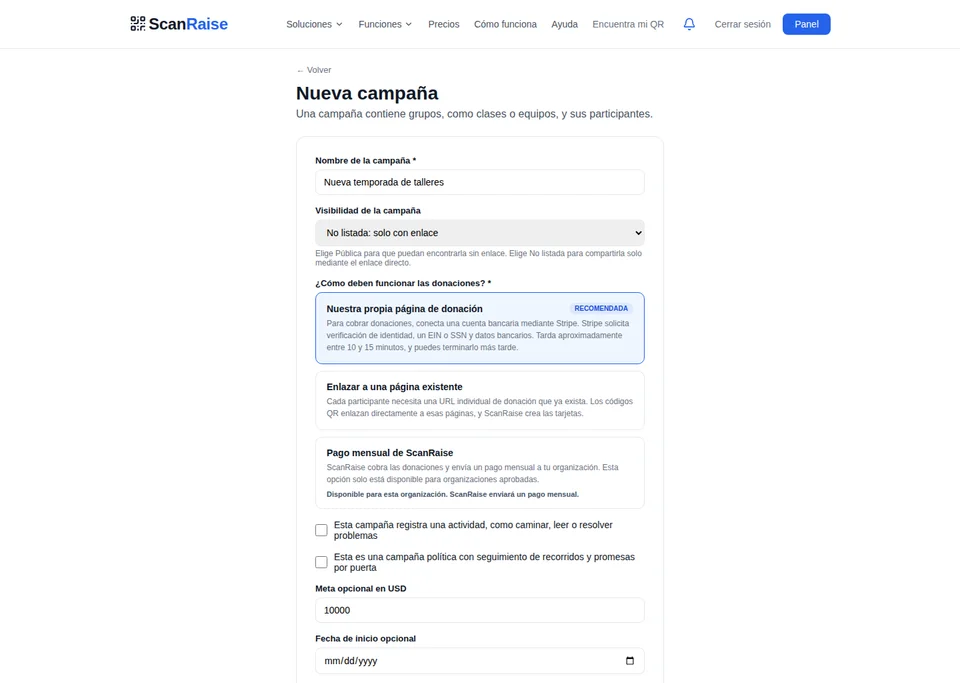
Sí. Establece una meta general de campaña y hasta 4 hitos con recompensas (ej. 'a $5,000, fiesta de pizza para la clase ganadora'). Las barras de progreso y los hitos se muestran en cada página de donación.
¿Puedo establecer una meta para cada clase para que compitan cara a cara?
Sí. Desde la página de la campaña, haz clic en el lápiz junto a cualquier fila de clase para abrir el modal Editar clase e ingresa una meta de clase en dólares (junto con el nombre de la clase, nombre del líder y correo del líder). Una vez establecida la meta, la fila de la clase muestra una barra de progreso animada. Cuando dos o más clases en la misma campaña tienen una meta, ScanRaise renderiza automáticamente insignias de comparación: una corona dorada en la clase líder, una llama roja en la clase que va alcanzando ("$607 atrás"), y un rayo de empate cuando van iguales. La barra se vuelve verde con un trofeo al alcanzar la meta. Ideal para que dos salones del mismo grado compitan cara a cara, o para una carrera entre 6.º y 7.º grado.
¿Puedo proyectar un feed de donaciones en vivo en eventos?
Sí. Cada campaña tiene un modo de pantalla en vivo (scanraise.com/live/tu-campaña) que muestra las donaciones llegando en tiempo real. Pantalla completa, modo oscuro, se actualiza automáticamente. Proyéctalo en una pantalla grande en carreras, galas o cualquier evento.
¿Puedo exportar mis datos de donaciones?
Sí. Desde tu panel, puedes exportar todas las donaciones como CSV en cualquier momento. El archivo incluye nombre del donante, email, monto, fecha, nombre del recaudador y estado de cubierta de comisión.
¿Cómo vuelvo a iniciar sesión?
Ve a scanraise.com/es/login e ingresa el email que usaste para crear la campaña. Te enviamos un enlace mágico que inicia tu sesión sin contraseña.
Subastas, rifas y funciones avanzadas
¿Puedo rastrear donantes y su historial de donaciones?
Sí. El CRM reúne el historial compatible de donaciones, entradas confirmadas y pedidos pagados por correo del donante. Puedes buscar, agregar etiquetas y notas privadas, y exportar los registros compatibles a CSV. Las solicitudes de acceso o eliminación comienzan con la verificación de identidad. El flujo automático todavía no cubre todos los registros comerciales, de listas de correo, texto libre, archivos multimedia y cumplimiento. Consulta la Política de privacidad para conocer el alcance actual.
¿Puedo enviar campañas de email a donantes?
Sí. Redacte un correo y ScanRaise lo envía a su lista de donantes, excluyendo a quienes se hayan dado de baja, y muestra los envíos correctos y fallidos. Cada correo incluye un enlace para darse de baja con un clic. El límite es de 500 destinatarios por envío; contacte a soporte si necesita más.
¿Cuándo están disponibles Apple Pay y Google Pay?
Apple Pay y Google Pay pueden aparecer en Stripe Checkout cuando el dispositivo, navegador y país del donante, junto con la configuración de Stripe de la organización, los admiten. El pago con tarjeta sigue disponible. La página de donación actual de ScanRaise no ofrece PayPal. ScanRaise no almacena los datos completos de la tarjeta; Stripe procesa esos datos.
¿Qué es la recaudación persona a persona (P2P)?
Los colaboradores pueden crear su propia página personal de recaudación vinculada a tu campaña. Comparten su página con su red y cada donación se acredita a tu organización. Las tablas de posiciones clasifican quién recauda más.
¿Puedo hacer una subasta o rifa?
Sí. Las subastas admiten pujas públicas y pago del ganador. Para rifas, publica un precio de venta presencial u ofrece participación gratuita en línea y luego un organizador sortea un solo ganador. La venta pagada de rifas en línea no está disponible.
¿Qué es la igualación empresarial?
Después de una donación completada, la página de agradecimiento permite buscar en una lista de referencia de 32 empleadores. Un resultado ofrece orientación para seguir el proceso de RRHH o donaciones laborales. La lista no es exhaustiva, y el empleador decide la elegibilidad, el monto y la aprobación.
¿Están disponibles las campañas comunitarias?
No. ScanRaise no permite crear campañas comunitarias para beneficiarios externos. Usa una campaña nativa con Stripe Connect cuando tu organización recibe los fondos, o usa un enlace externo cuando la causa ya tiene una página de donación.
Organizaciones específicas
¿Cómo se compara ScanRaise con Snap! Raise?
Están hechas para cosas distintas. Snap! Raise realiza campañas gestionadas, estilo equipo, con su propia plataforma y modelo de comisión. ScanRaise es software de autoservicio con una comisión fija del 2.5%, tarjetas QR imprimibles por persona, rastreo de distancia GPS y conteo de pasos en el navegador del teléfono del participante. No se necesita una app de ScanRaise para las donaciones QR ni el rastreo en el navegador. Las importaciones opcionales de Fitbit requieren una cuenta y la app de Fitbit. Las tarifas y funciones de otras plataformas cambian, consulta su sitio para precios y detalles actuales. Ver dónde encaja ScanRaise.
¿Las iglesias pueden usar ScanRaise para sus donaciones?
Sí. ScanRaise cobra 2.5% fijo y agrega seguimiento por persona (ideal para viajes misioneros), venta de entradas para eventos, tienda de productos y un CRM de donantes. Las iglesias que hacen recaudación en persona, colectas, peticiones de viajes misioneros y campañas de fondos de edificio suelen obtener más valor que con una página de donación general. Si tu iglesia ya usa una plataforma dedicada, consulta sus comisiones y funciones actuales en su propio sitio para comparar.
¿Las tropas scout pueden usar ScanRaise en lugar de vender palomitas o galletas?
Sí. Los márgenes y requisitos de las ventas de productos varían según el concilio, el programa, el producto y el proveedor, por lo que conviene revisar las condiciones aprobadas antes de estimar el monto neto. Con ScanRaise, los scouts pueden usar tarjetas QR en lugar de llevar productos. ScanRaise cobra una comisión de plataforma del 2.5% y el procesamiento de Stripe se cobra por separado. Los donantes pueden elegir cubrir las comisiones calculadas. Una campaña de donación no requiere inventario, entregas ni manejo de efectivo.
¿Los departamentos de bomberos pueden usar ScanRaise para colectas de botas?
Sí. Pon un código QR junto a la colecta o entrega una tarjeta a cada bombero. Los conductores escanean desde su auto. Las campañas con Stripe conectado reciben fondos mediante la cuenta del departamento; las campañas aprobadas en modo plataforma reciben pagos mensuales. ScanRaise no crea campañas comunitarias para beneficiarios externos. Usa un enlace externo cuando la causa ya tenga su propia página. Consulta ScanRaise para Bomberos.
¿Puedo usar ScanRaise para un viaje de clase o de graduación?
Sí. Crea una campaña para el viaje. Cada estudiante recibe su propio código QR. Familia y comunidad donan directamente al fondo de viaje de ese estudiante. El panel muestra quién está financiado y quién necesita ayuda. No hay niño que se quede atrás por cuestión de dinero.
¿Cómo funciona ScanRaise para equipos de robótica?
Los equipos FIRST Robotics típicamente necesitan $15,000-$20,000+ por temporada para inscripción, piezas y viaje. Cada miembro del equipo recibe un código QR - tecnológico y moderno, perfecto para la identidad del programa. Comparte en eventos de divulgación, noches STEM y reuniones con patrocinadores. Rastrea por miembro, incluye igualación empresarial para patrocinadores tecnológicos, y vende equipo del equipo desde la tienda integrada.
Campañas políticas
¿Las campañas políticas pueden usar ScanRaise?
Sí. ScanRaise funciona para cualquier candidato, PAC u organización de campaña. Códigos QR en letreros de jardín, colgadores de puerta, tarjetas de promotores y pancartas de mítines. Seguimiento por voluntario muestra quién impulsa las donaciones. CRM de donantes con exportación CSV para reportes de la FEC.
¿ScanRaise maneja el cumplimiento con la FEC?
ScanRaise es una plataforma tecnológica, no un asesor de finanzas de campaña. El modo FEC Pro recopila los campos requeridos, incluidos empleador y ocupación cuando corresponde, y ofrece exportación CSV con formato FEC. Cada campaña debe monitorear sus límites y confirmar sus obligaciones con un abogado de finanzas de campaña.
¿Puedo vender productos de campaña a través de ScanRaise?
Sí. Configura una tienda en scanraise.com/shop/tu-slug-de-campaña. Vende camisetas, letreros de jardín, calcomanías, gorras - con tallas, colores e inventario. Los ingresos complementan las donaciones directas.
¿Puedo hacer una cena de recaudación con subastas?
Sí. Usa la venta de entradas para vender entradas de la cena, luego ejecuta una subasta silenciosa durante el evento. Los asistentes pujan desde su teléfono. Combínalo con códigos QR en las mesas para donaciones adicionales y una pantalla en vivo que muestre los totales subiendo.
¿Cómo funcionan los precios para campañas políticas?
Gratis incluye hasta 10 promotores activos, donaciones QR, CRM de donantes y la tabla de clasificación. Para elegir Plus o Pro, abre el Despacho Político. La mejora abre Stripe Checkout y el acceso de pago se activa solo después de que Stripe confirma la suscripción.
Seguimiento de actividad (-Atones)
¿Qué es una campaña de atón?
Una campaña de atón permite a los donantes prometer por unidad de actividad, por ejemplo $2 por milla caminada, $0.50 por página leída o $1 por vuelta nadada. Stripe guarda de forma segura la tarjeta del patrocinador sin cobrarla al hacer la promesa. Después de que el organizador finaliza la actividad elegible, ScanRaise intenta realizar el cobro por unidad sin superar el máximo autorizado. Los cobros fallidos permanecen visibles y pueden requerir autenticación o una actualización segura de la tarjeta.
¿Qué actividades puedo rastrear?
Caminatones y corretones con GPS, nadatones con totales de vueltas revisados por el organizador, lectones y matematones con registro manual, además de bailatones, bicicletones, saltatones, escalones y cualquier unidad personalizada.
¿Cómo funciona el rastreo GPS?
Los participantes abren una página de rastreador en su teléfono (sin app para descargar). Cuando tocan 'Iniciar', la ubicación GPS del teléfono rastrea su ruta en tiempo real. La distancia se calcula a partir de las coordenadas. La velocidad se analiza para detectar trampas (caminar es 2-4 mph; manejar es 15+). Cuando terminan, tocan 'Detener' y la actividad se envía para verificación.
¿Cómo funciona el contador de pasos?
Nuestro contador de pasos usa el sensor de movimiento del teléfono (acelerómetro) para detectar pasos. Funciona en iPhone y Android. Es opcional - los participantes eligen activarlo. No requiere app - solo una página web.
¿Cómo funciona el registro manual para lectones y sesiones de estudio?
Los participantes registran páginas, minutos o problemas con el sistema de honor, y un familiar o entrenador confirma el total. Stripe guarda de forma segura la tarjeta de cada patrocinador sin cobrarla al hacer la promesa. Después de finalizar los totales elegibles, ScanRaise intenta realizar el cobro por unidad con límite. Los cobros fallidos o que requieren autenticación permanecen visibles para su seguimiento. Actualmente no hay control del tiempo de pantalla en el navegador para los lectones.
¿Es obligatorio el rastreo de actividad?
No. Todo el rastreo por sensores (GPS, contador de pasos, movimiento) es opcional. Los participantes pueden rechazar el acceso al sensor. La entrada manual del participante está disponible en campañas configuradas con una unidad manual. Si falla un sensor, un organizador puede registrar un resultado manual revisado en el Administrador de atones.
¿Los participantes necesitan descargar una app?
No se necesita una app de ScanRaise para el rastreo en el navegador. El rastreo de distancia GPS, el contador de pasos, los cronómetros y el registro manual funcionan en el navegador del teléfono del participante. Las importaciones opcionales de Fitbit requieren una cuenta y la app de Fitbit.
¿Cómo previenen las trampas?
El sistema anti-trampas analiza cada envío. Para GPS, revisa velocidades, saltos imposibles, rutas poco plausibles y señales de falsificación. Para cronómetros, verifica que la página estuviera visible. Los administradores pueden revisar los datos y cambiar una clasificación.
Rastreo en el navegador del teléfono e importaciones de Fitbit
¿Cómo pueden los participantes registrar la distancia?
Los participantes abren el rastreador en el navegador de su teléfono, tocan Iniciar y usan el GPS del teléfono para registrar la distancia. Esta sigue siendo una ruta principal de rastreo.
¿Cómo pueden los participantes contar pasos?
Los participantes abren el rastreador en el navegador de su teléfono, eligen el contador de pasos, conceden permiso de movimiento y tocan Iniciar. Esta sigue siendo una ruta principal de rastreo.
¿Cómo funciona la importación opcional de Fitbit?
Los participantes pueden conectar Fitbit de forma opcional, seleccionar un día, revisar el resumen diario de pasos, distancia y minutos activos, y elegir si desean importarlo. Las importaciones opcionales de Fitbit requieren una cuenta y la app de Fitbit y están disponibles para campañas compatibles de distancia y pasos.
¿Cómo funciona el rastreo de natación?
Crea una campaña de vueltas y luego pide a un voluntario u organizador que revise las vueltas completadas y registre el resultado en el Administrador de atones.
Inicio de sesión y gestión de distritos
¿Soportan inicio de sesión con Microsoft 365?
Sí. ScanRaise admite Entra ID multiinquilino. Escribe a support@scanraise.com con el identificador de tu inquilino para agregar ScanRaise a tus aplicaciones empresariales. Una vez aprobado, el personal inicia sesión con su cuenta de trabajo desde /es/login mediante Iniciar sesión con Microsoft. La autenticación usa certificados, sin secretos de cliente que el distrito deba rotar.
¿Soportan inicio de sesión con Clever?
El inicio de sesión con Clever y la importación de listas están construidos para cuentas habilitadas. La disponibilidad en el portal de Clever de una escuela depende del listado actual de Clever Library y de cualquier aprobación requerida del proveedor o del distrito. Contacta a support@scanraise.com para confirmar la disponibilidad actual antes del lanzamiento. Los despliegues de distrito mediante Clever Complete no forman parte de la oferta actual de ScanRaise. Los distritos que necesitan despliegues para toda la organización pueden consultar sobre ClassLink, Microsoft 365 o Google for Education.
¿Qué hace la "importación automática de la lista de alumnos desde Clever"?
Una vez que un maestro inicia sesión con Clever, la página Nueva clase muestra una tercera pestaña: Importar desde Clever. ScanRaise extrae las secciones (clases) del maestro y los estudiantes registrados en cada una (solo nombre + inicial del apellido, sin correo, sin apellido completo). El maestro marca qué secciones importar, opcionalmente las renombra, y hace clic en un botón. ScanRaise agrega las clases seleccionadas y crea un recaudador QR por estudiante. Reemplaza el asistente CSV de tres pasos para cualquier maestro cuya escuela esté en Clever. La importación es opcional por sección, así que los maestros controlan qué clases se sincronizan.
¿Soportan inicio de sesión con ClassLink?
El inicio de sesión con roles de administrador, padre y maestro está construido para distritos habilitados. La disponibilidad depende de la aprobación del proveedor y del distrito. Solo concede acceso ya asociado con el correo devuelto y no conecta automáticamente familias con participantes.
¿Soportan Google for Education?
Sí. El personal inicia sesión con su cuenta escolar mediante OAuth de Google Workspace.
¿Qué es la gestión de distritos?
El acceso de distrito habilitado puede devolver organizaciones vinculadas, totales, conteos de campañas, desgloses por escuela y exportaciones CSV o JSON. Hoy no hay panel de autoservicio, vista de estado por campaña ni fuente de auditoría de cumplimiento. Consulta ScanRaise para distritos.
¿Pueden varias organizaciones del distrito competir entre sí?
Sí. La batalla de liga convierte un distrito en una competencia de recaudación cara a cara. Dos o más organizaciones persiguen cada una su propia meta, y la página pública en
/league/<slug> las clasifica con insignias de corona (líder) y llama ("$X atrás"). Tres niveles anidados: las clases compiten dentro de una organización, las organizaciones compiten dentro de una liga. Funciona para distritos escolares, ligas deportivas, consejos de scouts, grupos de ayuda mutua de bomberos, en cualquier lugar donde varias organizaciones corren la misma campaña en paralelo. Establece metas por organización para que una escuela pequeña que mantiene el ritmo de una grande aún pueda ganar la liga por porcentaje de progreso. Consulta Batalla de liga abajo para la configuración.¿Cómo llegan los padres a la recaudación de un participante?
Los padres pueden seguir el código QR o enlace público del participante sin iniciar sesión para donar. Un enlace mágico inicia sesión para un correo que ya tiene acceso. ClassLink no vincula automáticamente la identidad de un padre con un participante.
Batalla de liga
¿Qué es una batalla de liga?
Una carrera de recaudación entre varias organizaciones. Agrupa dos o más organizaciones bajo una liga (un distrito escolar, una asociación deportiva, un consejo de scouts, un grupo de ayuda mutua de bomberos, etc.) y la página pública en
/league/<slug> las muestra compitiendo entre sí. Cada organización recibe un rango, un total recaudado, una barra opcional de meta por organización, y una insignia de corona o llama. La liga en su conjunto tiene su propia barra de meta arriba. Tres niveles anidados en total: las clases (o escuadras, manadas, compañías) compiten dentro de una organización, las organizaciones compiten dentro de una liga.¿Cómo configuro una liga?
Envía un correo a support@scanraise.com con el nombre de la liga, las organizaciones que quieres incluir y cualquier meta (por organización o de la liga). Configuramos la liga y asignamos el rol de administrador a tu correo. A partir de ahí, gestionas la liga en
admin.scanraise.com/leagues: edita el nombre y el lema, activa el modo competitivo, activa la visibilidad pública, establece metas por organización, agrega o quita organizaciones miembro.¿Cómo funciona el ranking?
Dos modos. (1) Cuando al menos una organización no tiene meta: clasifica por dólares recaudados, el líder recibe la corona, los demás muestran "$X atrás". (2) Cuando cada organización en la liga tiene una meta establecida: clasifica por porcentaje de progreso, así una escuela pequeña que alcanza el 100% de su meta vence a una grande estancada en el 25% de la suya. La lógica de las insignias es la misma: corona dorada en el primer puesto, llama roja con la diferencia en el resto, rayo si todos están empatados, trofeo verde en cualquier organización que haya alcanzado su meta.
¿La página de la liga es pública?
Solo cuando el administrador de la liga activa el interruptor "Visible públicamente". Hasta entonces, la liga existe pero la URL devuelve 404 a cualquiera que no sea administrador de la liga. Los administradores de la liga siempre ven la clasificación en
admin.scanraise.com/leagues y pueden previsualizarla antes de hacerla pública. Una vez pública, la página se auto-actualiza cada 30 segundos y es apta para proyector (presiona F para pantalla completa en eventos).¿Funciona para algo más que escuelas?
Sí. La batalla de liga es agnóstica al tipo de organización. Asociaciones deportivas: cada equipo de una Liga Pequeña corre la misma campaña, la liga muestra qué familias dieron más. Consejos de scouts: cada tropa de un consejo regional compite por los totales de reemplazo de palomitas. Grupos de ayuda mutua de bomberos: cada departamento de bomberos en un condado compite durante la temporada de campaña de botas. Iglesias: cada congregación en una diócesis durante una campaña de fondo de construcción. En cualquier lugar donde dos o más organizaciones corren una campaña paralela, se aplica el mismo primitivo de corona y llama.
Funciones avanzadas
¿Qué es el precio de reserva en una subasta?
Es una puja mínima privada que estableces para un artículo. Si las pujas quedan por debajo de la reserva al cerrar, el artículo no se adjudica automáticamente. Tú decides si lo adjudicas, lo vuelves a publicar o lo cancelas. Los postores nunca ven la reserva.
¿Qué es la compra inmediata en una subasta?
Es un precio opcional de compra inmediata. El primer postor que paga ese monto termina la subasta y gana. Después de la compra, ya no se aceptan pujas.
¿Qué es una recaudación persona a persona (P2P)?
Cada recaudador crea una página con su foto, historia y meta. Comparte su enlace personalizado y las donaciones se suman al total de la campaña principal. Es útil para maratones y campañas personales grandes. Una tabla de posiciones ordena las páginas por el monto recaudado.
¿Qué es una búsqueda del tesoro?
Es una actividad con varias paradas donde los participantes visitan puntos de control, escanean códigos QR y aprenden algo en cada lugar. Puede incluir promesas opcionales por cada punto completado. Sirve para recaudaciones vecinales, viajes escolares y recorridos históricos.
¿Qué es la página en vivo?
Una página pública para proyectores en
/live/{campaign-slug} que muestra donaciones y actividad en tiempo real. Se actualiza cada 5 segundos mientras la conexión funciona y vuelve a intentar después de 30 segundos si falla. Úsala en eventos, televisores o proyectores.¿Cómo funciona la donación por texto?
En Configuración de la organización, elige una palabra clave de 3-30 letras y números que sea única en ScanRaise. Los donantes la envían al (833) 991-9251 y ScanRaise manda una respuesta automática con el enlace de donación correspondiente a la organización. Los tiempos de entrega dependen del operador. Pueden aplicarse tarifas de mensajes y datos, y los donantes pueden responder STOP para darse de baja o HELP para obtener ayuda.
¿Qué es el consentimiento parental?
Para participantes menores de 13 años, ScanRaise exige consentimiento parental antes de habilitar el rastreador de actividad privado o un registro de búsqueda del tesoro por ubicación o código secreto. ScanRaise envía al padre o tutor un enlace de consentimiento, y esas funciones permanecen bloqueadas hasta que se otorgue. El registro de consentimiento, incluidas las fechas de solicitud y aprobación y la dirección IP de aprobación, se conserva como evidencia. Los detalles de seguimiento sin procesar se protegen y eliminan conforme a la política siguiente. No se requiere formulario en papel, pago ni identificación oficial. El consentimiento habilita la participación privada: los enlaces de donación muestran la campaña, los datos individuales del menor no aparecen en listas ni clasificaciones públicas y las donaciones siguen contando para la campaña.
Privacidad y datos de seguimiento de participantes
¿Qué datos de seguimiento de participantes recopilan?
Solo los detalles vinculados a una función que el participante elige: coordenadas GPS durante el seguimiento activo o un registro, muestras del acelerómetro para contar pasos, información del navegador y del dispositivo, detalles opcionales del resumen diario de Fitbit y metadatos limitados de tiempo, sesión, verificación, cuenta del proveedor y autorización. No accedemos a contactos ni mensajes.
¿Cómo se almacenan los datos de GPS y sensores?
Las coordenadas GPS, las muestras de movimiento, los datos detallados del dispositivo y de verificación, los detalles de actividad de Fitbit, los identificadores del proveedor y los tokens OAuth de Fitbit se cifran en la aplicación antes de almacenarse. Campos limitados de campaña, participante, estado, hora, totales, punto de control y conexión con el proveedor permanecen consultables durante el plazo activo. La base de datos activa elimina de forma definitiva las cargas sin procesar, las filas de registro, sus vínculos de punto de control y las conexiones de actividad física una vez transcurridos 90 días completos desde el fin de la campaña. Los respaldos protegidos por el proveedor siguen los ciclos de vida de Railway y Backblaze; los respaldos previos a la migración pueden contener campos heredados en texto sin cifrar hasta que venzan o se eliminen. Los totales a nivel de participante permanecen sin cargas de ubicación, sensores, dispositivo, punto de control o proveedor. Los registros financieros, de consentimiento parental y de auditoría requeridos siguen calendarios independientes.
¿Venden datos de sensores?
No. Nunca vendemos, licenciamos ni monetizamos datos de sensores de participantes sin procesar. Los administradores autorizados de la campaña pueden revisarlos para verificar la actividad durante el plazo de conservación.
¿Los participantes pueden rechazar el seguimiento?
Sí. Los participantes pueden rechazar o retirar los permisos del navegador para GPS o sensor de movimiento y pueden revocar el acceso de Fitbit en su cuenta de Fitbit. La entrada manual está disponible cuando la campaña la permite. El consentimiento parental sigue siendo obligatorio antes de que un participante menor de 13 años use las funciones de seguimiento sujetas a consentimiento.
¿Aún tienes preguntas?
Estamos aquí para ayudar. Escribe a support@scanraise.com. Procuramos responder dentro de 1 día hábil.